
Rent and payments · Owner and tenant mobile app
Open and share rent receipts
Find a RentPayor payment receipt, review its invoice association and share the generated PDF through your device.
The PDF includes these steps and their available product screenshots.
Before you begin
- A recorded rent payment on an invoice.
- A mobile device with an available share destination.
Step-by-step walkthrough
- 1
Locate the payment
Open the paid or partially paid invoice, or the payment history, and find the individual payment you want to document.
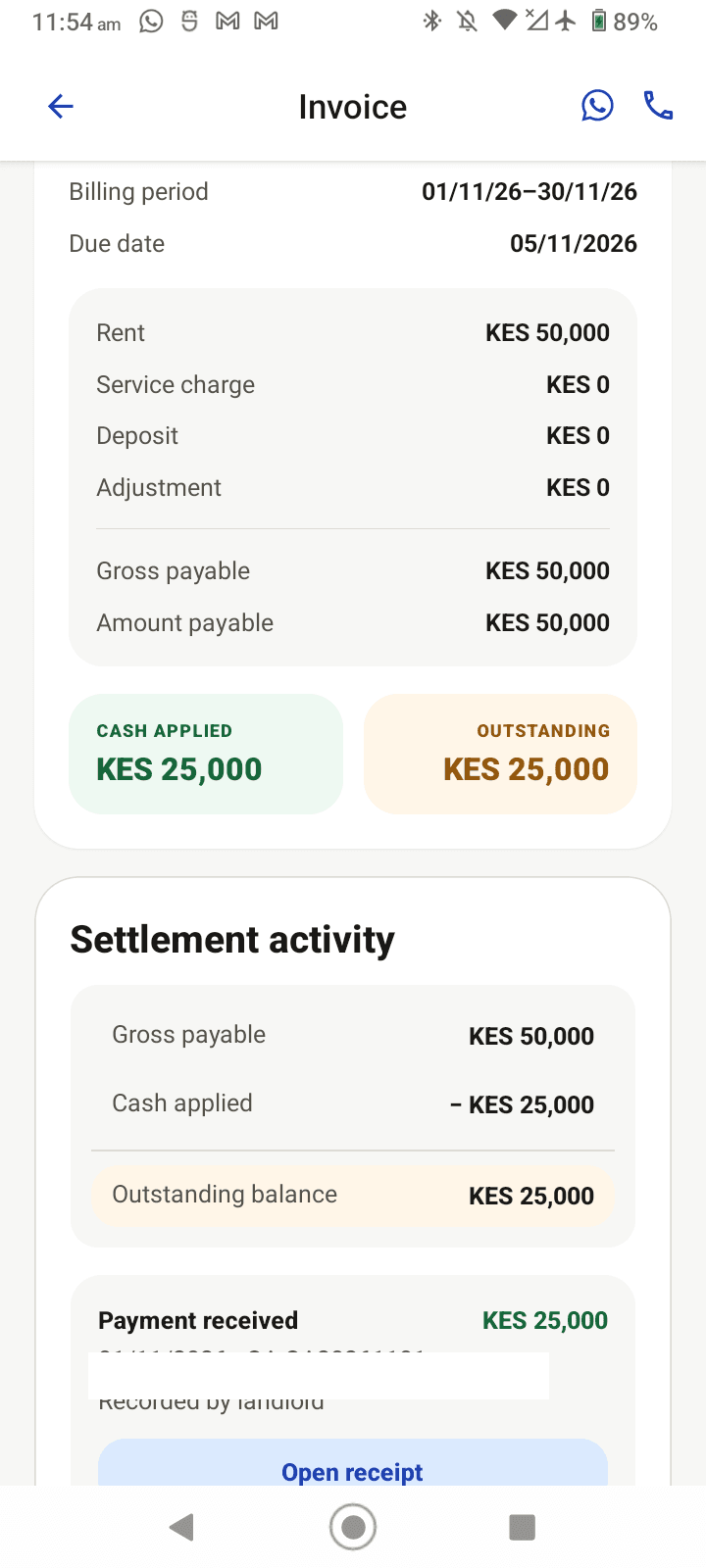
Current local QA capture: open the recorded payment from the updated invoice to view its receipt. - 2
Open its receipt
Use the payment's Open receipt action when available. Receipts are generated on demand after a payment has been committed; generating a receipt does not record a second payment.
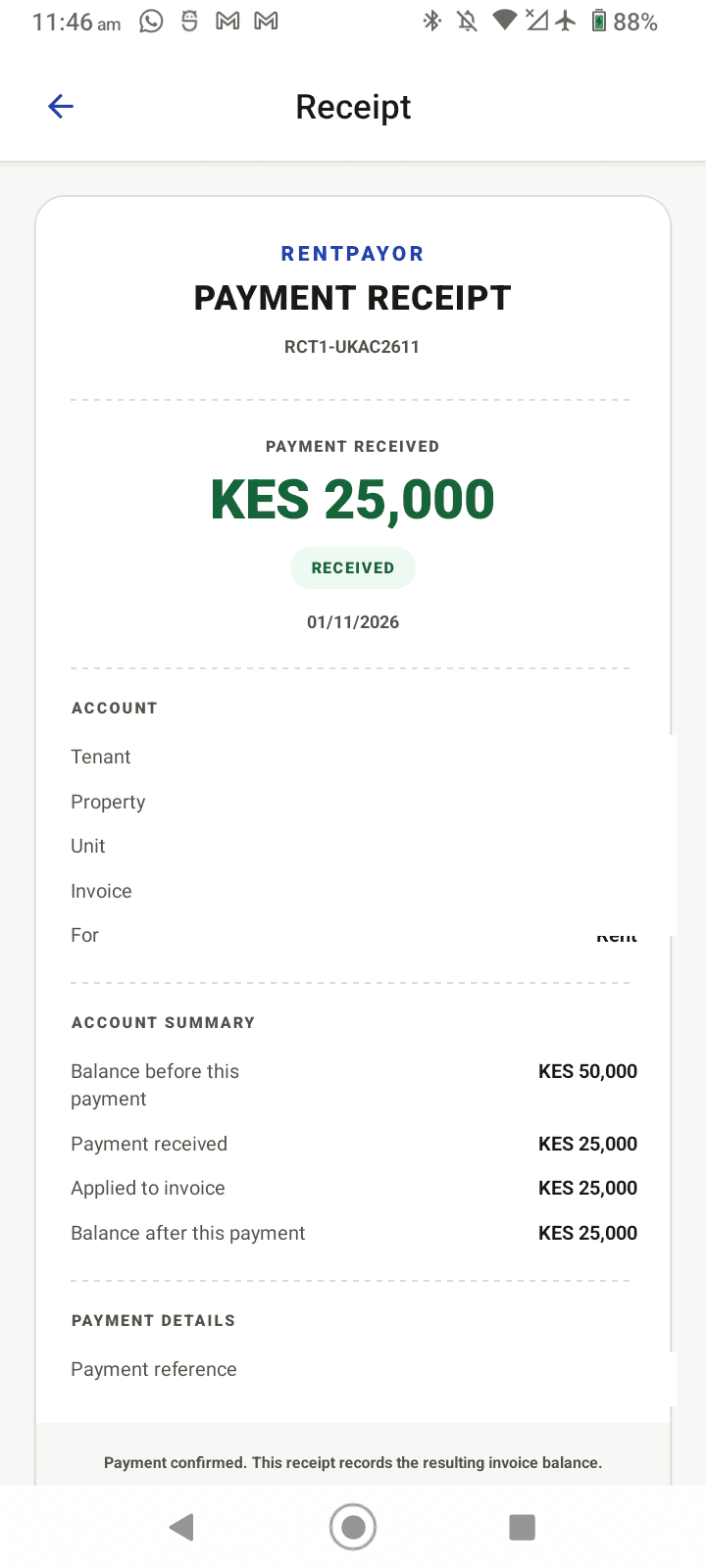
Current local QA capture: the receipt shows the payment amount, invoice application and resulting balance. Identifying values are removed. - 3
Open the share sheet
Tap Share to WhatsApp on the receipt. Android opens the system share sheet with the generated PDF and the destinations installed on that device, such as WhatsApp or Files. Choose a destination only after checking the receipt contents. The receipt remains linked to the recorded payment.
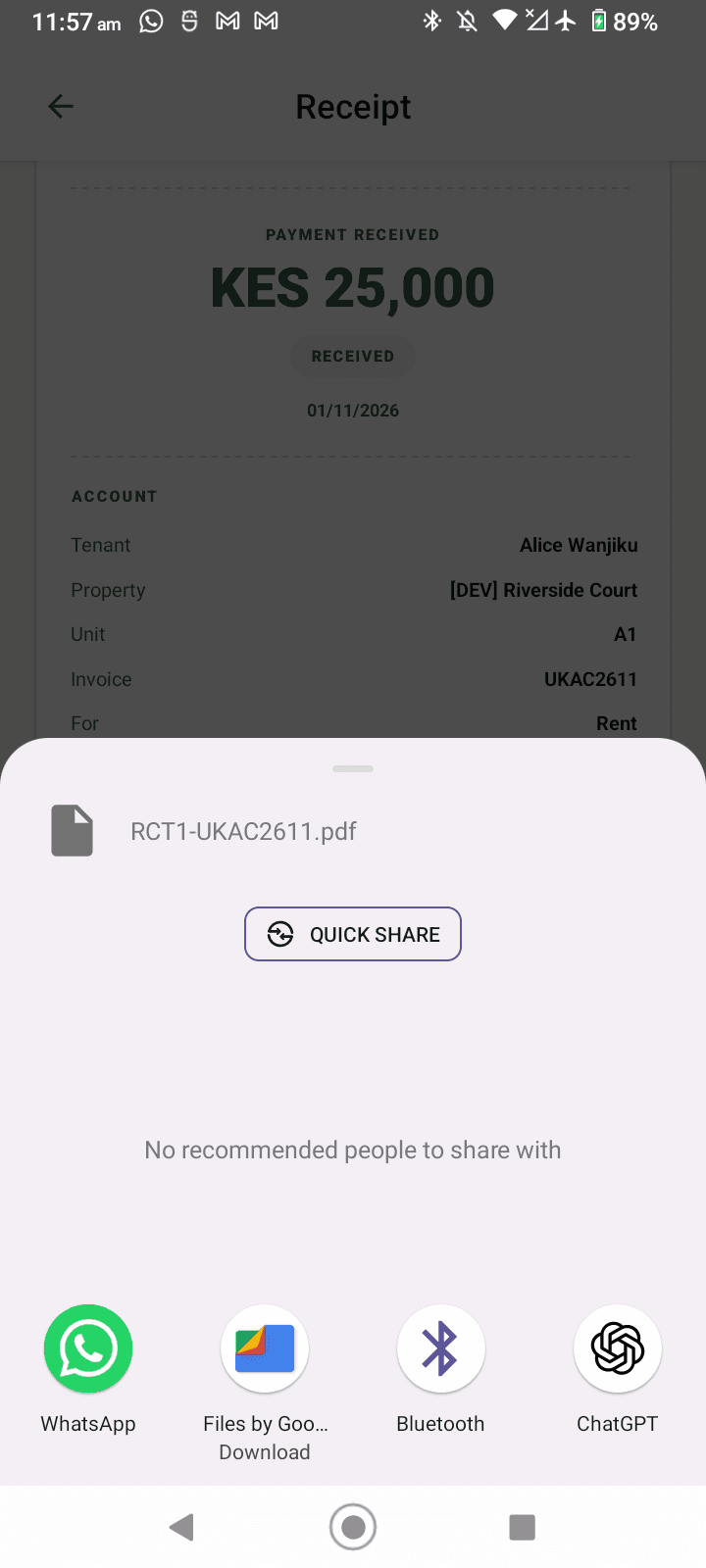
Current local QA capture: the Android share sheet shows the generated PDF and installed destinations with the local QA receipt details visible; no recipient was selected.
Expected result
- The receipt identifies the payment and connected invoice.
- The generated receipt PDF can be shared using supported device destinations.
- Payment and receipt history remain linked.
Important details
- A receipt is proof of a recorded payment, not a replacement for bank or M-Pesa provider verification.