
Rent and payments · Owner mobile app
Record a rent payment received manually
Record cash, bank or other rent received outside the integrated M-Pesa flow against the right invoice, including partial amounts and carried-forward credit.
The PDF includes these steps and their available product screenshots.
Before you begin
- A real payment already received outside RentPayor.
- The corresponding unpaid invoice and the correct receipt/payment reference.
Step-by-step walkthrough
- 1
Find the invoice to review
Open the correct tenant invoice and check the remaining outstanding amount. Recording a payment documents money already received; it does not initiate a transfer.
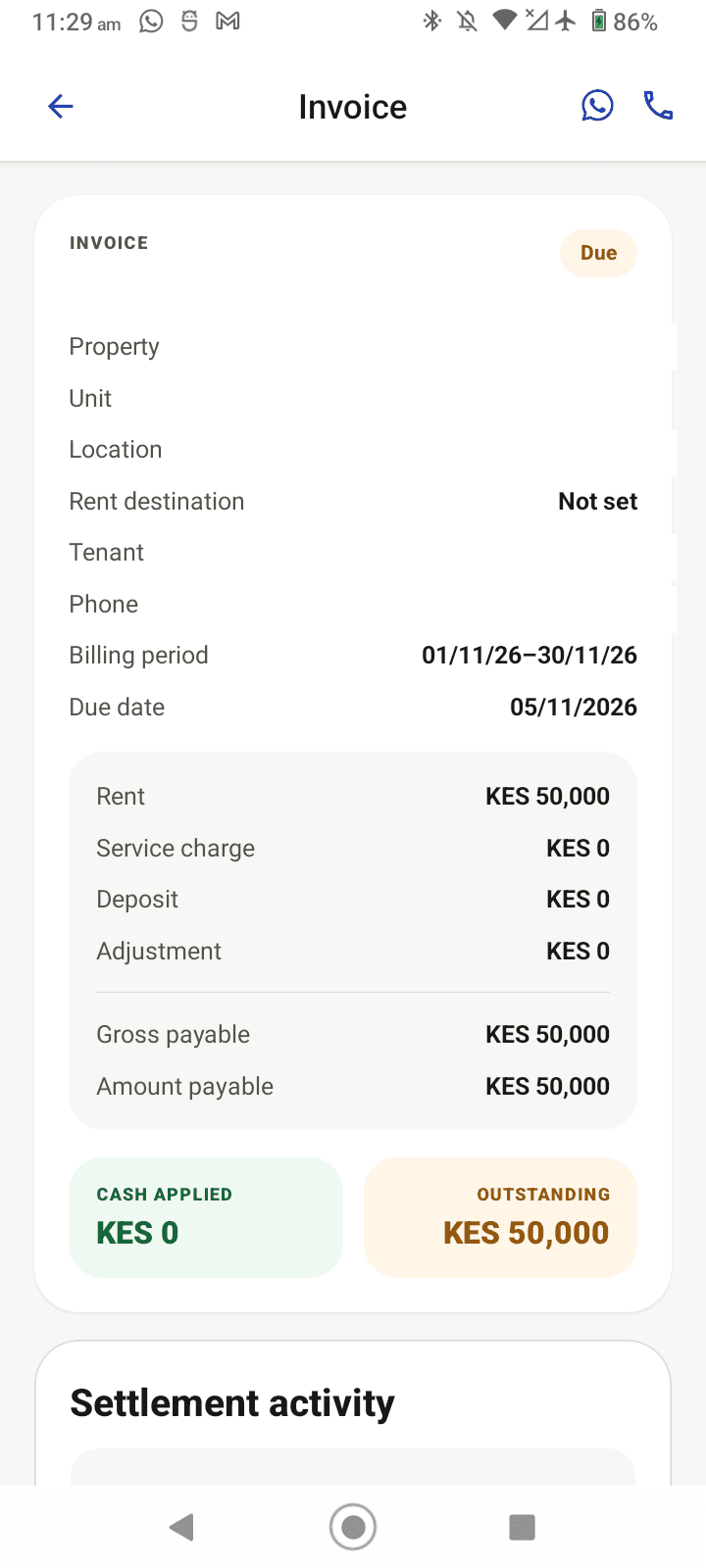
Reviewed product capture from the current local QA device: review the KES 50,000 invoice balance before recording money received outside the app. - 2
Open the manual payment form
Choose the record-payment action on the eligible invoice. Enter the payment amount and the actual transaction date. The available fields may also include the payer, reference, notes and destination where the funds were received.
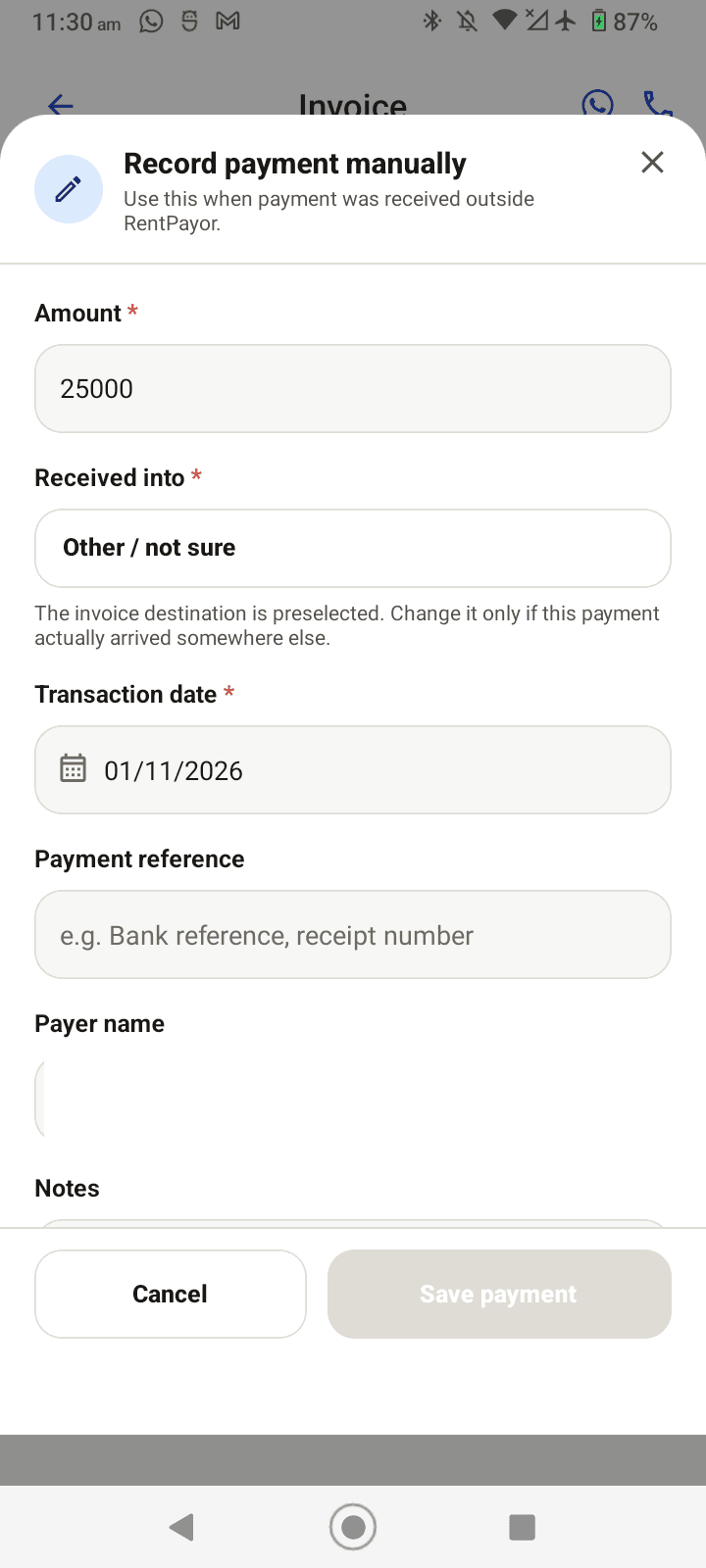
Reviewed product capture from the current local QA device: enter a realistic partial amount for an external payment already received; no payment is submitted. - 3
Save and open the receipt
Enter the payment reference and payer name, then save once. Open the generated receipt to confirm how much was received and applied to the invoice.
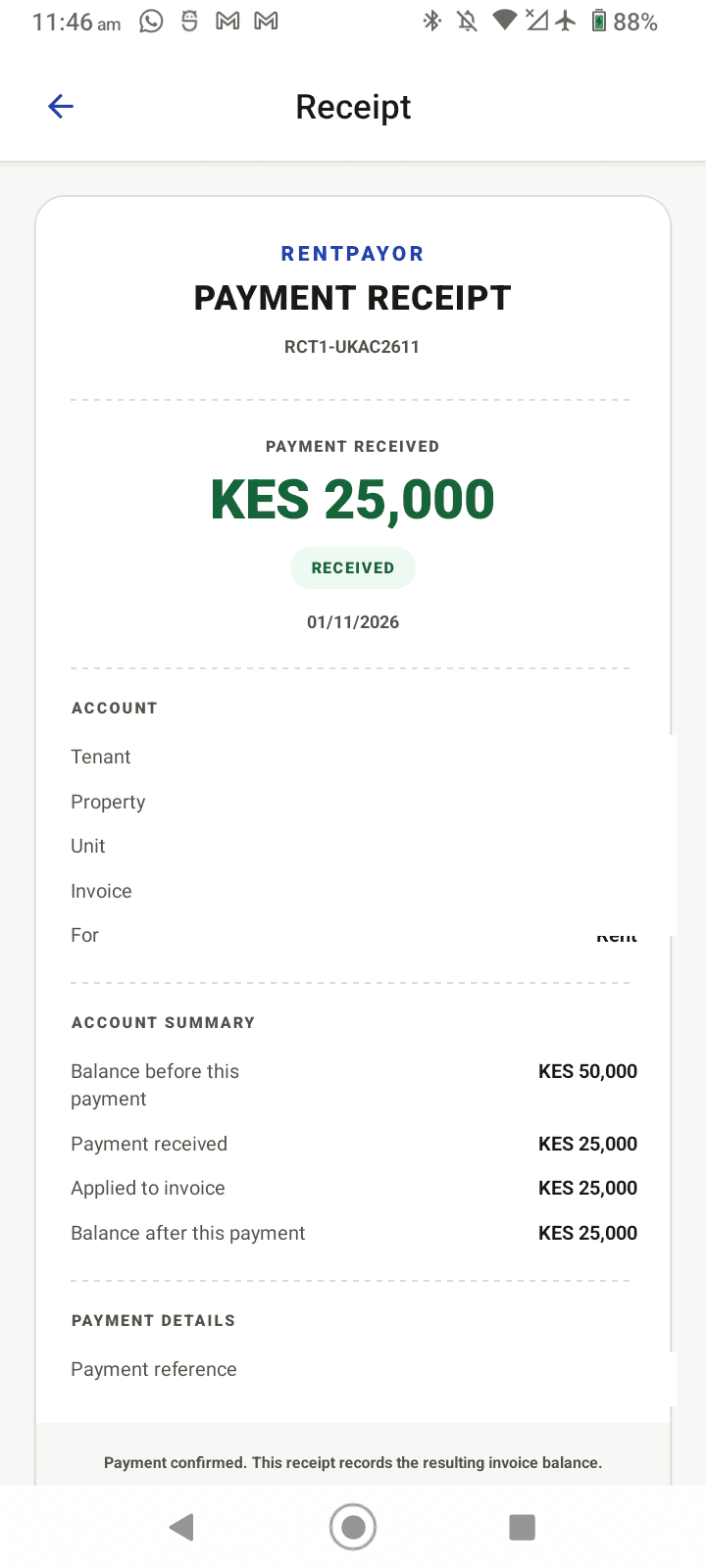
Reviewed product capture from the current local QA device: the receipt confirms the amount applied and the new KES 25,000 balance. Identifying account values are removed. - 4
Review the updated invoice balance
Return to the invoice and verify the updated balance. In this example, KES 25,000 is applied to a KES 50,000 invoice, leaving KES 25,000 outstanding. If the recorded amount exceeds the outstanding balance, the excess is handled as carried-forward tenant credit.
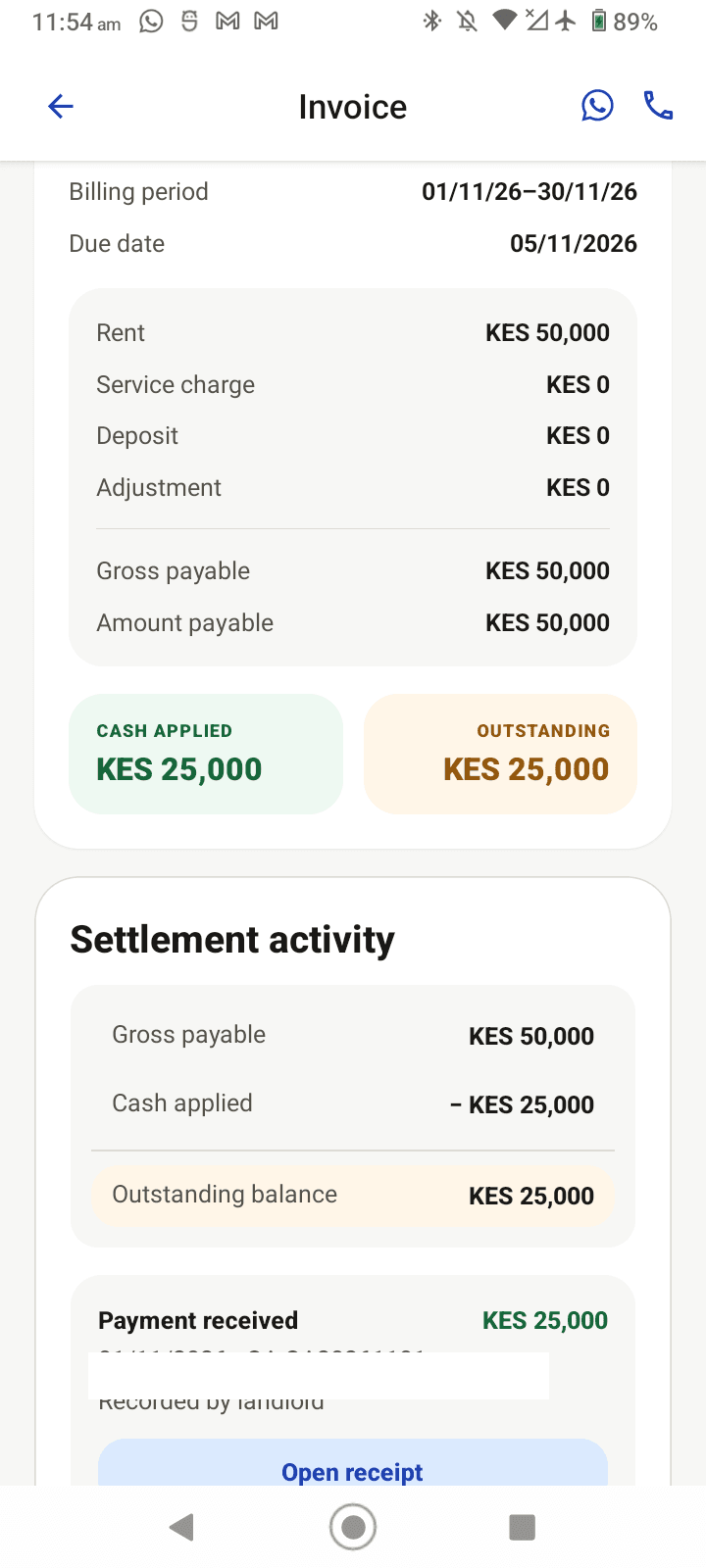
Reviewed product capture from the current local QA device: the invoice now shows KES 25,000 cash applied and KES 25,000 outstanding; the payment reference is removed.
Expected result
- The payment is recorded against the intended invoice.
- Partial payments leave the remaining amount visible.
- Overpayments can become tenant credit rather than unexplained extra rent.
Important details
- Do not use this form to imply RentPayor processed an external cash or bank transfer.
- The published images are current local QA captures with names, phone numbers, invoice identifiers and payment references removed; the receipt and updated invoice reflect a synthetic local QA payment, not a customer transaction.