
1
Create the rental record
Add a unit and tenant, then set the lease start date, rent amount, currency, due day, and billing cycle.
Rent payment tracking
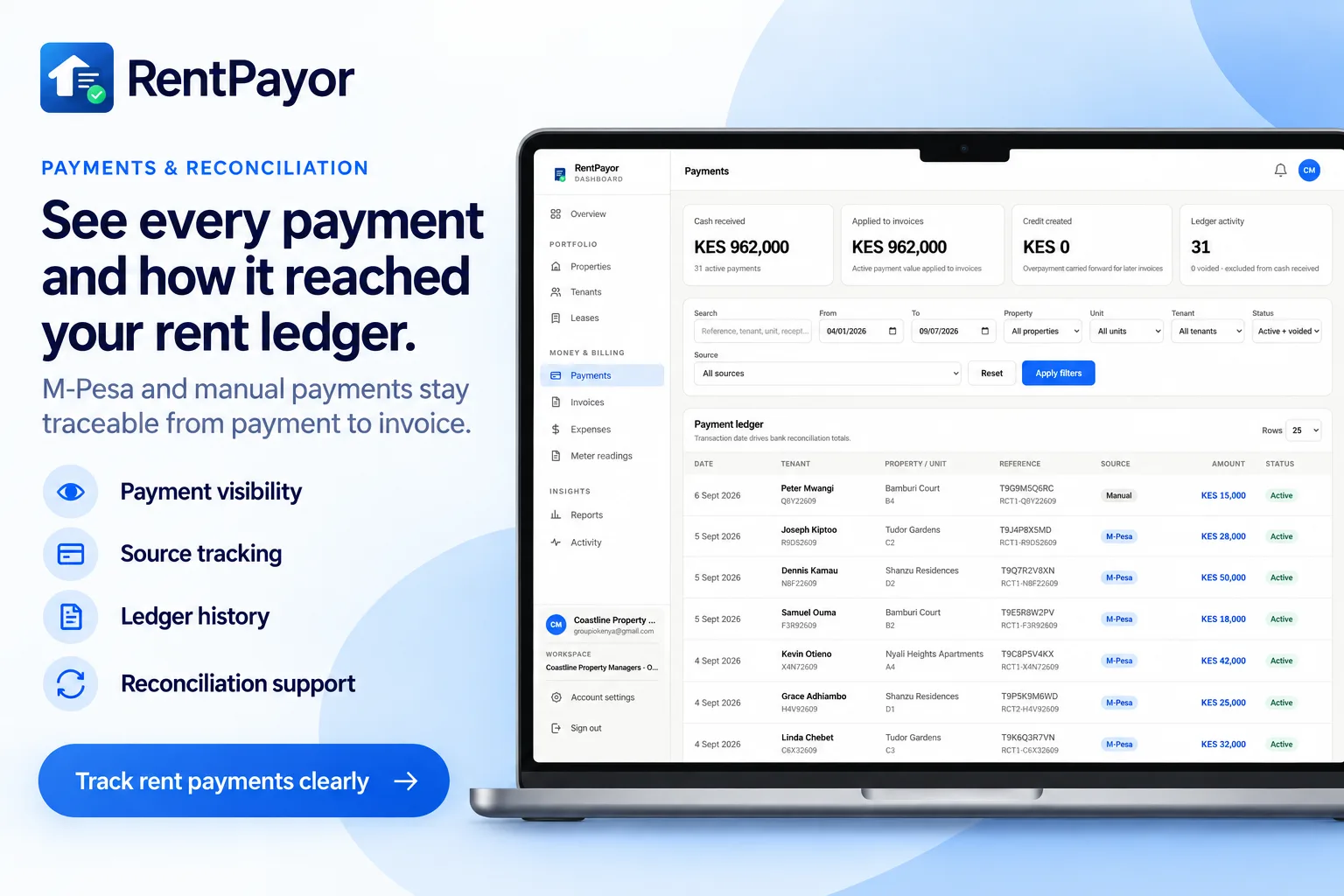
RentPayor gives landlords and property managers one place to follow each rent cycle from invoice to payment. Confirmed online M-Pesa collections can reconcile automatically, while payments received another way can still be recorded manually against the correct invoice.
The rent-record problem
A payment message may be in one chat, the lease terms in a notebook, and the amount still due in a spreadsheet. RentPayor connects the tenant, unit, lease, invoice, payment record, and receipt so the current rent position is easier to verify.
What RentPayor does
Review billed, collected, outstanding, and overdue amounts for the current month.
Open invoices are separated into due and overdue sections and sorted by due date.
Search by tenant, property, unit, invoice reference, billing period, year, or amount.
See occupied, rentable, and vacant unit counts beside the rent summary.
How it works
Add a unit and tenant, then set the lease start date, rent amount, currency, due day, and billing cycle.
Create the current invoice during lease setup or allow RentPayor to prepare invoices when scheduled rent periods begin.
Open the invoice and record the amount, transaction date, payer, reference, and optional notes.
Frequently asked questions
Yes. RentPayor supports KES rent collection through its integrated M-Pesa flow. Confirmed online payments are reconciled to the invoice that initiated the collection request. Payments received through other methods can still be recorded manually.
Yes. Open invoices are classified by due status, and overdue balances appear in the rent overview and arrears workspace.
Yes. Open invoices and settled invoice history can be searched using tenant, unit, property, invoice, period, or amount information.
Use the integrated M-Pesa flow for eligible KES invoices, or record payments received through another method manually. RentPayor keeps balances, history, credits, and receipts connected to the invoice.